·6 min read
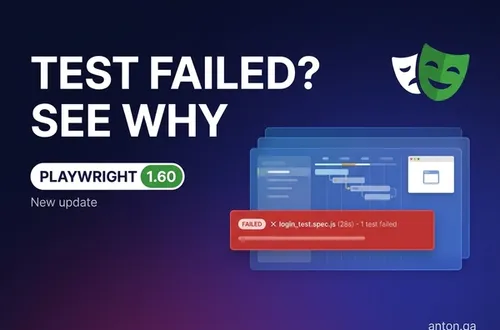
Playwright v1.60 Turns Test Failures Into Evidence
Playwright v1.60 adds scoped HAR recording, locator.drop(), ARIA boxes, and test.abort() so CI failures carry better proof.
playwrighttest-automationci
Published: · 4 min read
Which test automation framework should you choose in 2026? A side-by-side comparison of Playwright, Cypress, and Selenium based on real-world experience testing for Apple, Fortune 500 companies, and enterprise teams.

After 10+ years of building test automation frameworks at Apple, Fortune 500 companies, and fast-moving startups, I've worked with all three tools extensively. This isn't a theoretical comparison — it's based on real production experience.
The test automation landscape has shifted dramatically. Playwright has matured into a serious contender, Cypress has expanded beyond its original scope, and Selenium remains the enterprise backbone. But which one should you actually choose?
Let me break it down.
Playwright:
Cypress:
Selenium:
Playwright has become my go-to framework for new projects. Built by Microsoft (the same team that originally created Puppeteer), it addresses almost every pain point I've encountered with other tools.
What Playwright does best:
waitFor
When to choose Playwright:
Cypress pioneered the "developer-friendly testing" movement. Its interactive test runner and real-time reloading changed how developers think about testing.
What Cypress does best:
The catches:
When to choose Cypress:
Selenium has been around for almost 20 years. It's not the flashiest choice, but it's battle-tested across every major enterprise on the planet.
What Selenium does best:
The challenges:
When to choose Selenium:
I ran the same test suite (50 tests, e-commerce checkout flow) across all three frameworks. Here's what I found:
Setup time:
Test execution (50 tests):
Flaky test rate:
CI/CD complexity:
Playwright's auto-waiting and parallel execution give it a significant edge in both speed and reliability.
For new projects: Playwright. The developer experience, cross-browser support, and performance make it the best choice going forward.
For existing Cypress projects: Stay with Cypress if it's working. Migrate only if you're hitting limitations (Safari testing, parallel costs).
For existing Selenium projects: Consider a gradual migration to Playwright. The migration path is cleaner than you might expect — many patterns transfer directly.
Ask yourself these questions:
The frameworks are all capable of building production-quality test automation. The right choice depends on your team, your constraints, and where you're headed — not where you've been.
If you're evaluating frameworks or considering a migration from Selenium or Cypress to Playwright, I can help. I've led migrations at Fortune 500 companies and can have your first Playwright tests running in a week.
Get notified when I publish something new, and unsubscribe at any time.
·6 min read
Playwright v1.60 adds scoped HAR recording, locator.drop(), ARIA boxes, and test.abort() so CI failures carry better proof.
·4 min read
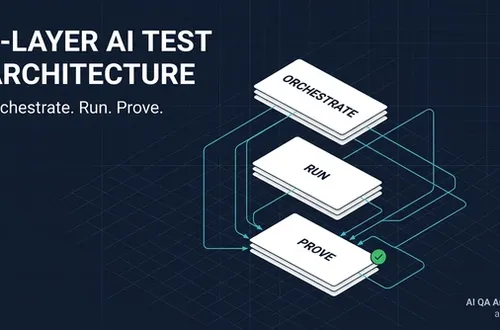
AI Test Automation Architecture: The 3-Layer System AI test automation architecture is the system that tells AI what to test. It also defines how to run tests and prove the result. I split it into three layers: orchestration, execution, and evidence. Without all three, AI testing becomes prompt output with no production gate.
·10 min read
Playwright's new stabilization work echoes a flaky-test fix from enterprise QA. See the pattern, why it matters, and how teams can reduce noisy failures.