·6 min read
Playwright v1.60 Turns Test Failures Into Evidence
Playwright v1.60 adds scoped HAR recording, locator.drop(), ARIA boxes, and test.abort() so CI failures carry better proof.
playwrighttest-automationci
Published: · 5 min read
Flaky tests destroy team confidence and slow deployment. Here are 10 proven strategies to eliminate flaky Playwright tests — from someone who's fixed thousands of them.

A flaky test is one that sometimes passes and sometimes fails without any code changes. They seem harmless at first — just re-run the pipeline, right?
Wrong. Flaky tests are silent killers:
At one company, I inherited a test suite with a 68% pass rate. Not because the application was broken — but because the tests were. Here's how I fixed it.
The problem: CSS selectors and XPath break when developers change class names or restructure HTML.
The fix: Use Playwright's role-based locators:
Bad:
page.locator('#submit-btn')
page.locator('.form-container > button:nth-child(2)')
Good:
page.getByRole('button', { name: 'Submit' })
page.getByLabel('Email address')
page.getByText('Welcome back')
Role-based locators are more resilient because they target what users see, not implementation details.
The problem: waitForTimeout() is the number one cause of flaky tests.
await page.waitForTimeout(5000); // ❌ Please don't do this
Why it fails: 5 seconds might be enough on your machine but not in CI. Or it might be way too long, slowing tests unnecessarily.
The fix: Wait for specific conditions:
await page.waitForLoadState('networkidle');
await expect(page.getByRole('button')).toBeEnabled();
await expect(page.getByText('Success')).toBeVisible();
Playwright's auto-waiting handles most cases automatically. Trust it.
The problem: Tests depend on state from previous tests.
test('login', ...); // Creates session
test('add to cart', ...); // Expects logged-in state
If the login test fails, the cart test also fails — but not because of a cart bug.
The fix: Each test should set up its own state:
test.beforeEach(async ({ page }) => {
  await loginAsUser(page, 'testuser');
});
Or use Playwright's storage state to share authentication without dependencies:
await page.context().storageState({ path: 'auth.json' });
The problem: Clicking a button that's still loading, or reading text before it's rendered.
The fix: Wait for loading indicators to disappear:
// Wait for spinner to go away
await expect(page.getByTestId('loading-spinner')).toBeHidden();
// Then interact with the element
await page.getByRole('button', { name: 'Submit' }).click();
Or wait for the element to be in a specific state:
await expect(page.getByRole('button')).toBeEnabled();
await page.getByRole('button').click();
Strategy 5: Use data-testid for Dynamic Content
The problem: Elements generated dynamically have unpredictable locators.
The fix: Add data-testid attributes for testing:
In your application code:
<button data-testid="checkout-button">Checkout</button>
In your test:
await page.getByTestId('checkout-button').click();
This creates a contract between frontend and tests that survives refactoring.
The problem: A test fails once and you re-run the entire suite.
The fix: Use Playwright's built-in expect retries:
// playwright.config.ts
export default defineConfig({
  expect: {
    timeout: 10000, // Wait up to 10 seconds for assertions
  },
});
Assertions like toBeVisible() and toHaveText() will automatically retry until timeout — no manual retries needed.
The problem: API calls take longer in CI than locally.
The fix: Wait for network responses explicitly:
// Wait for specific API call to complete
await page.waitForResponse(resp =>
  resp.url().includes('/api/products') && resp.status() === 200
);
Or use networkidle for simpler cases:
await page.goto('/dashboard', { waitUntil: 'networkidle' });
The problem: Tests interfere with each other when running in parallel.
Test A creates user "testuser@example.com"
Test B also creates user "testuser@example.com"
One fails due to duplicate email.
The fix: Use unique data per test:
import { faker } from '@faker-js/faker';
const email = faker.internet.email();
await page.getByLabel('Email').fill(email);
Or isolate tests in separate browser contexts (Playwright does this by default).
The problem: You can't see what happened when a test failed in CI.
The fix: Enable traces on failure:
// playwright.config.ts
export default defineConfig({
  use: {
    trace: 'on-first-retry',
  },
});
Now, when a test fails and retries, Playwright captures:
Open traces with:
npx playwright show-trace trace.zip
This is the single best debugging tool for flaky tests.
The problem: Default timeouts are too short for slow environments.
The fix: Configure appropriate timeouts based on your CI environment:
// playwright.config.ts
export default defineConfig({
  timeout: 60000,        // Test timeout: 60 seconds
  expect: {
    timeout: 10000,      // Assertion timeout: 10 seconds
  },
  use: {
    actionTimeout: 15000, // Click/fill timeout: 15 seconds
    navigationTimeout: 30000, // Page load timeout: 30 seconds
  },
});
Don't make them too long — slow failures are frustrating. Find the right balance for your infrastructure.
When you encounter a flaky test, follow this process:
1. Reproduce locally
Run the test 10 times:
npx playwright test tests/checkout.spec.ts --repeat-each=10
If it passes every time locally but fails in CI, it's likely a timing or environment issue.
2. Check the trace
Open the trace file from CI and look for:
3. Identify the root cause
Common causes:
4. Fix or delete
If you can't fix it after 30 minutes, delete it. A flaky test is worse than no test. You can always rewrite it properly later.
After applying these strategies at CooperVision, we went from 68% pass rate to 98%+ in three months.
Pass rate:
Average test time:
"Re-run pipeline" requests:
Team trust in automation:
The biggest win wasn't technical — it was cultural. When tests are reliable, developers actually care about failures.
If your test suite is unreliable and slowing down your team, I can help. I've fixed test suites at Fortune 500 companies and can usually identify the main issues in just a few hours.
Get notified when I publish something new, and unsubscribe at any time.
·6 min read
Playwright v1.60 adds scoped HAR recording, locator.drop(), ARIA boxes, and test.abort() so CI failures carry better proof.
·4 min read
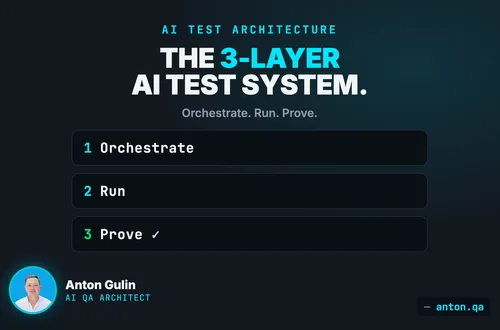
AI Test Automation Architecture: The 3-Layer System AI test automation architecture is the system that tells AI what to test. It also defines how to run tests and prove the result. I split it into three layers: orchestration, execution, and evidence. Without all three, AI testing becomes prompt output with no production gate.
·7 min read
Most teams install MCP servers and hope they work. Here is how to test, evaluate, and gate MCP servers before they break your CI pipeline.